At 1Streetworks, we’re continually looking for ways to make traffic management planning simpler, faster, and more intuitive. In our latest release, v1.23, we have focused on enhancing the plan-editing experience, expanding customisation options, and giving users more flexibility when creating accurate and compliant traffic management plans.
From editable signage and smarter plan editing tools to retained measurements and enhanced PDF notes, this release is all about helping users work more efficiently while maintaining full control over their plans.
Click through the latest release:
Flexible Parametric Signage
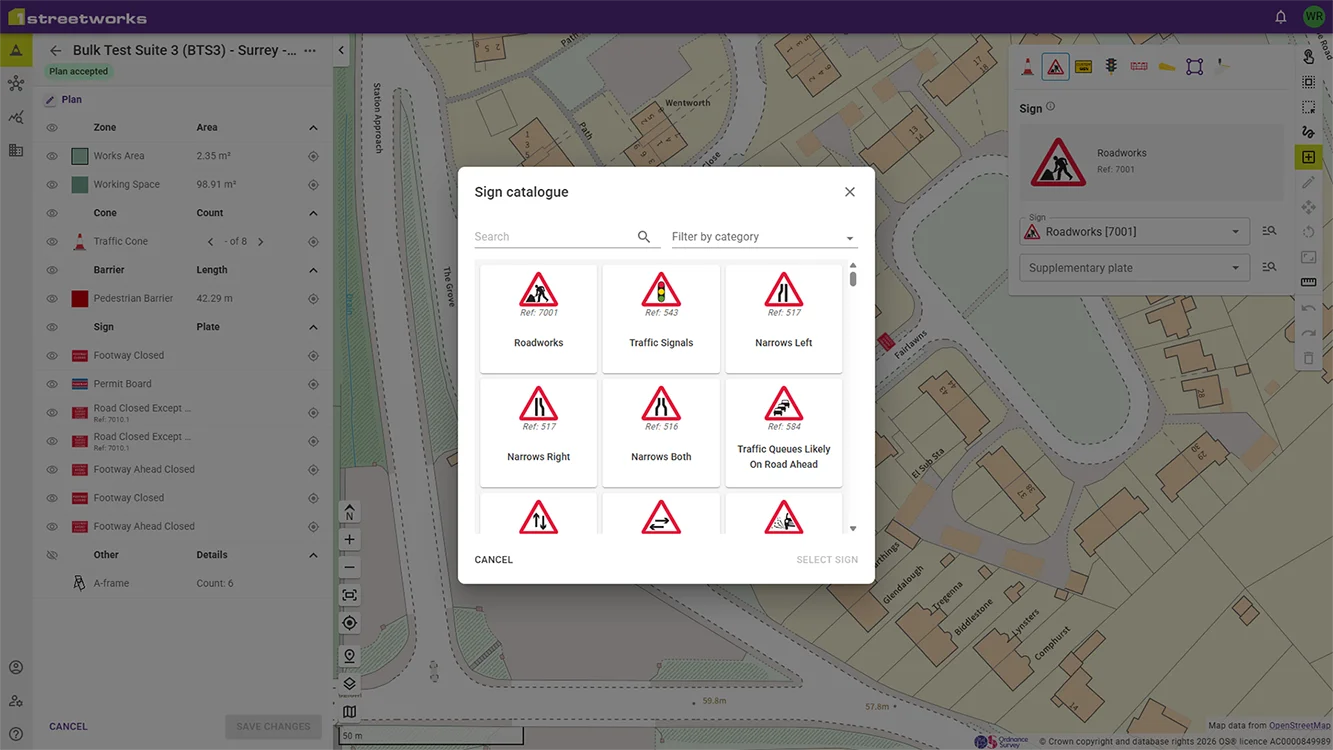
Building on the introduction of additional custom sign symbols in v1.22, we have introduced a new generation of editable parametric signs within the sign catalogue.
These signs allow users to quickly customise common sign variations directly within their plans, reducing the need for manual workarounds and improving efficiency.
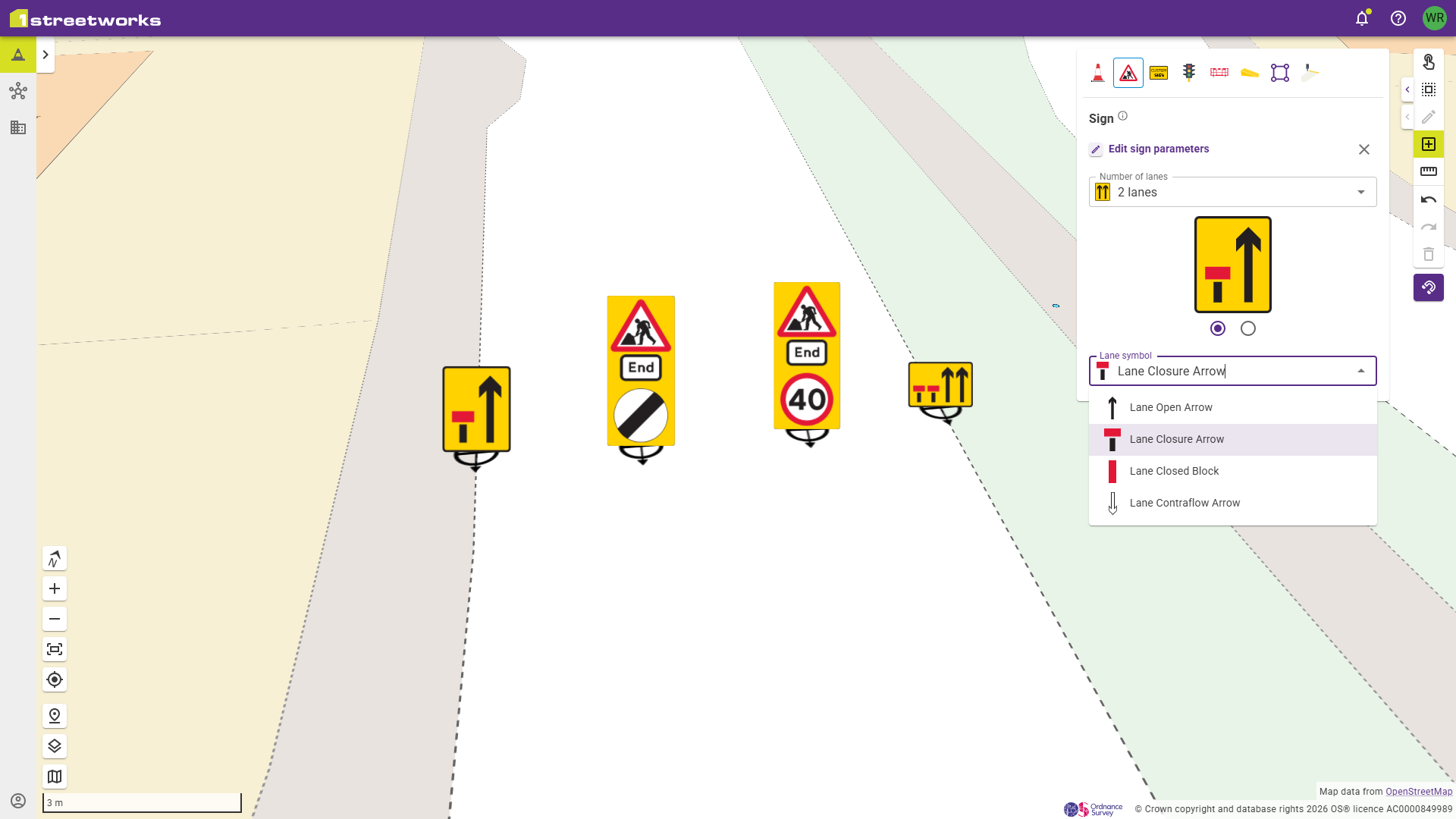
Users can now edit:
- Wicket signs
- Distance in yards signs
- End of road works signs
This provides greater flexibility when selecting signage and ensures users can choose the exact variation required for their scheme.
To complement these enhancements, we have also expanded our catalogue of road markings with new lines, symbols, and marked areas designed to support both low-speed and high-speed road environments.
Why this matters: Users can create more accurate plans faster, with less manual effort and greater flexibility.
A Simpler, Smarter Editing Experience
Through user research interviews, customer feedback, and observation sessions, we identified several opportunities to improve the way users interact with plans during editing.
The result is a cleaner, more intuitive editing experience designed to reduce clicks and improve usability.
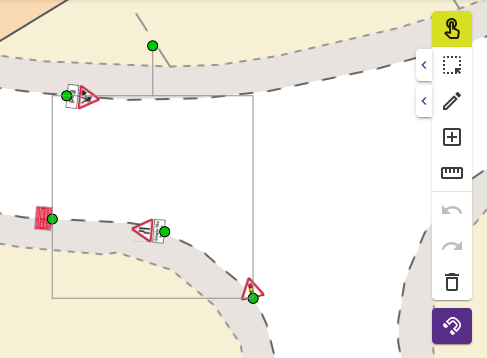
New Hybrid Selection Tool
The default selection tool has been upgraded to allow users to:
- Select plan features
- Move features
- Rotate features
All within a single tool. This removes unnecessary tool switching and streamlines everyday editing tasks.
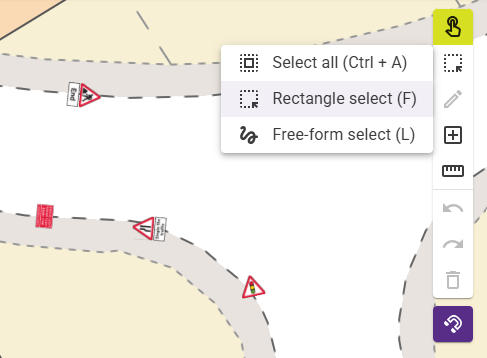
Reduced Toolbar Complexity
We found that some users felt the toolbar could appear visually overwhelming, particularly when first using the platform.
To address this, we have simplified the default toolbar while keeping all functionality available through expandable menus.
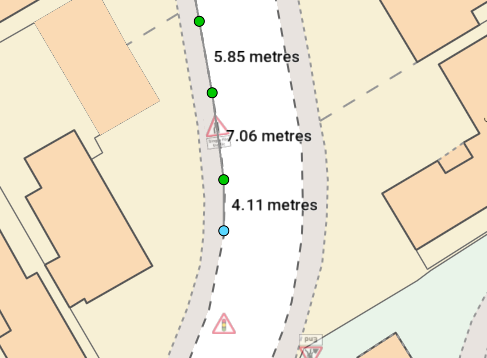
Intelligent Snapping
Plan features can now snap to visual boundaries within OS mapping.
This allows users to position:
- Signs
- Cones
- Traffic management elements
More accurately and consistently.
Why this matters: Faster editing, improved precision, and increased confidence when creating traffic management plans.
Retained Draft Measurements
In previous versions, measurements could only be displayed one at a time and disappeared whenever users switched tools.
We recognised that measurements are often used as a visual guide throughout the planning process, so we’ve enhanced the measurement tool accordingly.
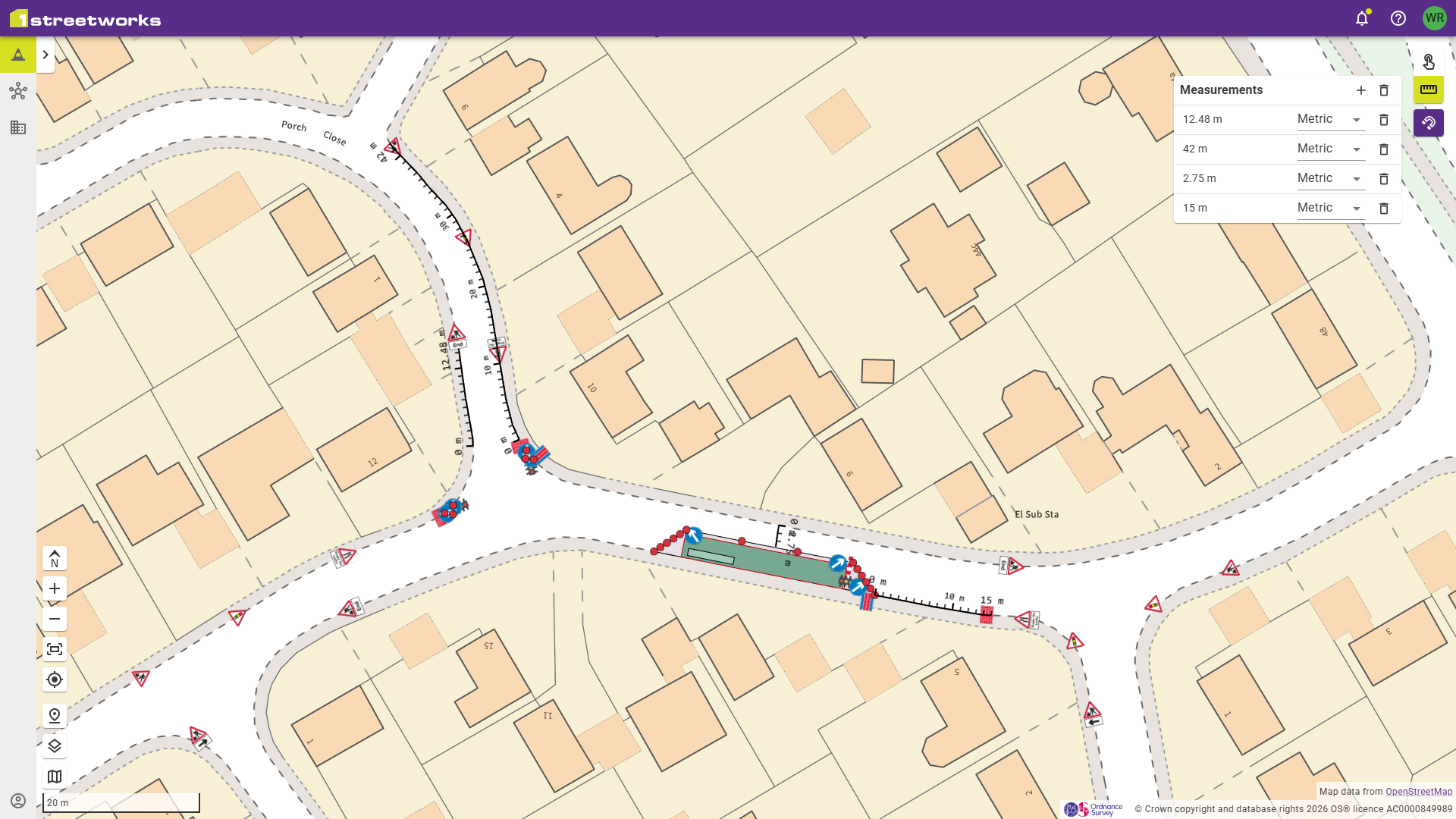
Users can now:
- Create multiple measurements
- Retain measurements while editing their plan
- Switch between metric and imperial units
These retained measurements provide visible reference points that help planners accurately position features and maintain the correct dimensions throughout plan creation.
Why this matters: Better visibility leads to more accurate planning and reduces the need to repeatedly recreate measurements.
Greater Customisation for PDF Notes
Following the PDF notes framework upgrade introduced in v1.21, we have continued to expand the capabilities available to users.
The latest release introduces additional formatting options that provide greater flexibility when documenting plans.
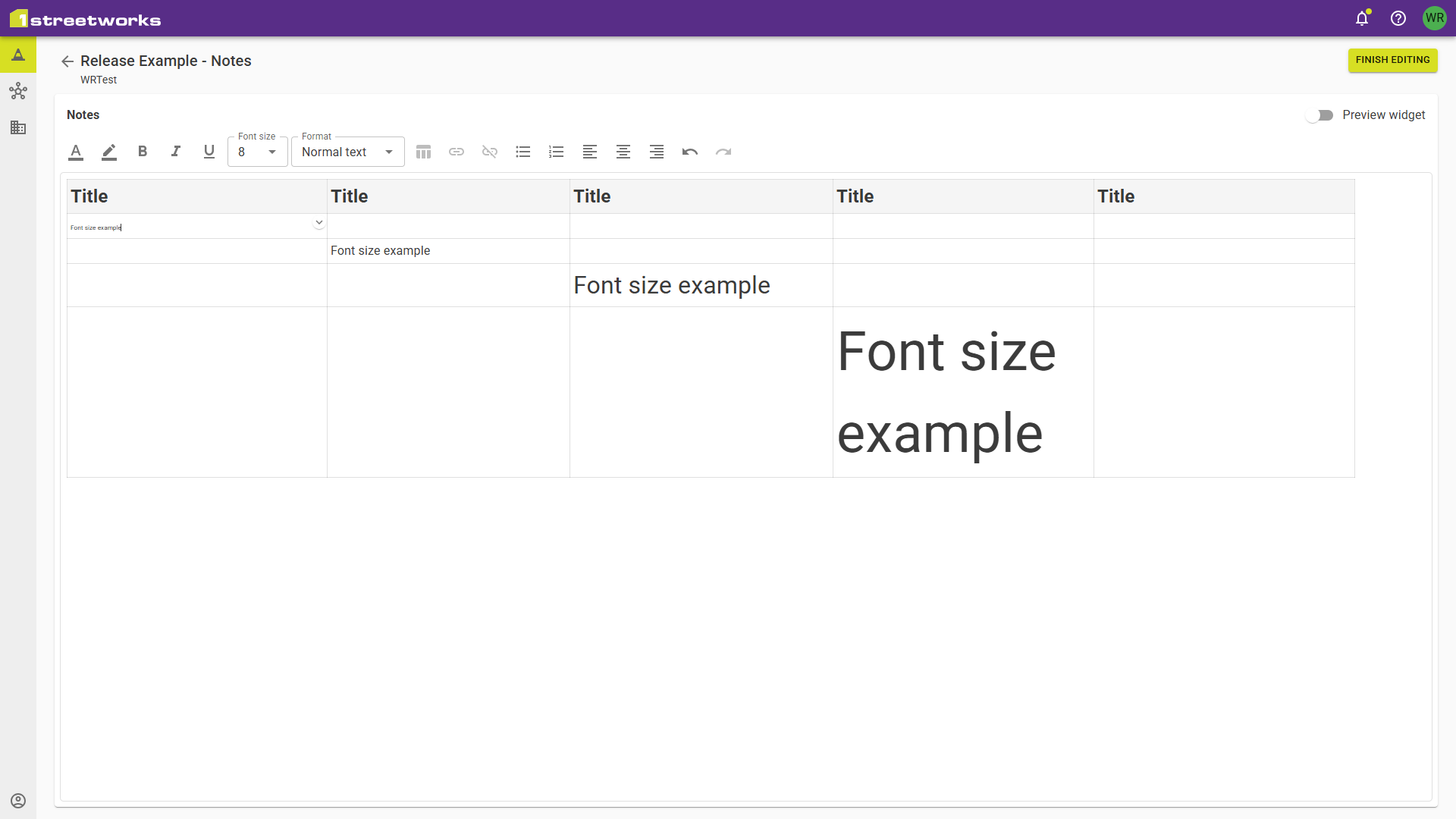
Users can now:
- Change font sizes
- Insert tables
- Edit table content directly within the note’s widget
These improvements make it easier to structure information and present supporting notes in a clear and professional format.
Why this matters: Better presentation and formatting options help users tailor documentation to their organisation’s requirements.
Stay Up to Date with the Latest News Feed
We know it can sometimes be difficult to keep track of product updates, release notes, and company announcements.
To make sure users never miss important information, we’ve introduced a new Latest News section within 1Streetworks.
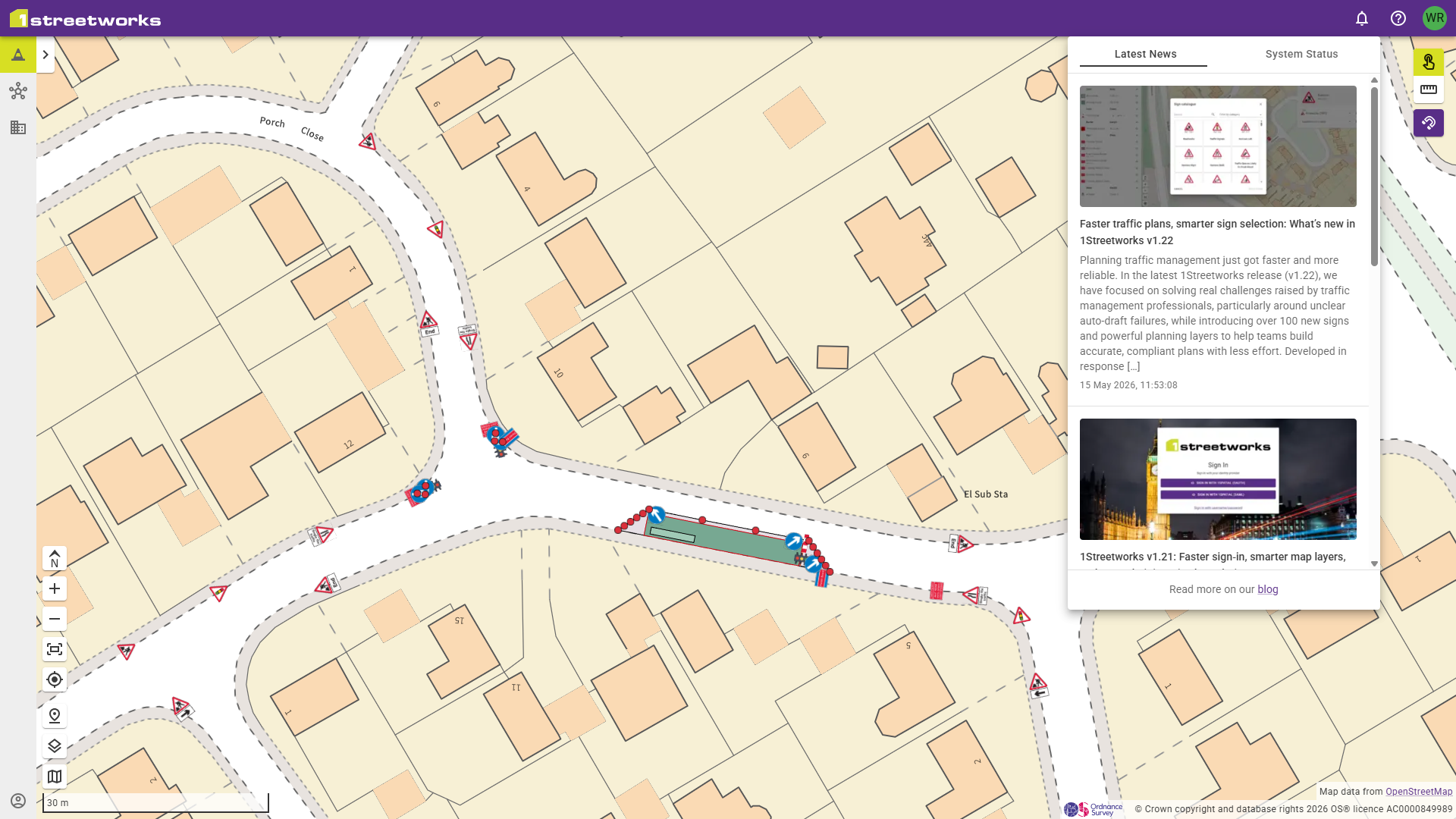
The news feed provides direct access to:
- Product release announcements
- New feature updates
- Events and webinars
- Industry and company news
This ensures users always have visibility of the latest developments from the 1Streetworks team.
Why this matters: Important product updates and new functionality are easier to discover and access.
Developed from Customer Feedback
“Everything in v1.23 is focused on helping planners work more efficiently and with greater confidence. The improvements in this release come directly from customer feedback and ongoing user research. By understanding how our users create and refine traffic management plans in real-world environments, we have been able to deliver enhancements that remove friction, improve usability, and provide greater flexibility where it matters most.”
— William Ryan, Product Owner, 1Streetworks
Many of the enhancements in v1.23 were identified through customer workshops, user research interviews, feedback sessions, and observations of how planners use 1Streetworks in real-world environments.
By working closely with traffic management professionals, contractors, utilities, and local authority teams, we continue to ensure that 1Streetworks evolves in line with the challenges faced by planners every day.
Ready to Explore v1.23?
1Streetworks v1.23 delivers a faster, more intuitive planning experience with enhanced flexibility, improved precision, and greater customisation.
Whether you’re creating complex traffic management plans, refining layouts, or documenting schemes, these new features are designed to help you work more efficiently and confidently.
Written by William Ryan, Product Owner, 1Streetworks
Release date: 30 July 2026